ABOUT GBC
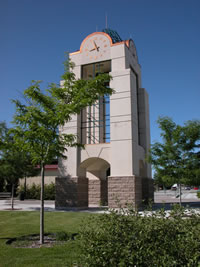
Welcome to Great Basin College!
Great Basin College values you! Valuing what we have in common and our differences means we will foster a college climate of mutual trust, tolerance, informed discourse and always seek to promote GBC as a "safe space" to explore new ideas and perspectives with opportunities for you to grow, learn and be successful in a friendly, supportive campus environment. GBC enriches people's lives by providing student-centered, post-secondary education to rural Nevada. GBC students enjoy outstanding academic programs, smaller class sizes, and excellent faculty who really care about our students. We are GBC!
ADMISSIONS

ACADEMICS

For High School Students
STUDENT SERVICES
GBC ONLINE

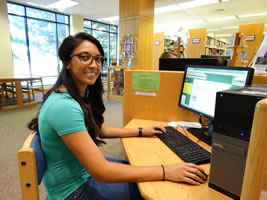
Great Basin College is "The Gold Standard in the Silver State" when it comes to long-distance education and online education delivery. GBC offers hundreds of classes and a diverse array of certificate and degree programs fully online and fully affordable!
COMMUNITY
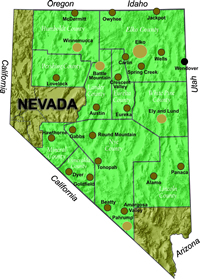
Great Basin College wants to be your choice for higher education. GBC offers associate and baccalaureate level instruction in career and technical education and academic areas. About 4,000 students are enrolled annually online from across the country and on campuses and centers across 86,500 square miles, two time zones, and ten of Nevada's largest counties. We border Arizona, Oregon, Idaho, Utah, and California. We are GBC!
INFORMATION

Need to find COVID-19 information quick? Check out our Coronavirus (COVID-19) Information and Resources page!
RESOURCES

About WebCampus
Preparing to Take Online Classes at GBC
WebCampus is the name of GBC's virtual campus. To take classes online at GBC, you will need a Windows computer with a fairly recent version of Windows installed (Windows 7 or better) or a Macintosh computer with 10.6 or newer. Click to view the computer specifications. If you are new to WebCampus, you'll need to:
- Your WebCampus username and password.
- Set up your computer and browser.
- Complete the online orientation course available to you when you login to WebCampus. Set up WebCampus to receive notifications of important class news, grades, and so on via email, your cell or Twitter. Click to view a WebCampus video on how to set your notifications.
IMPORTANT
Updating Your Profile and Notifications
After logging into WebCampus, update your SETTINGS in the upper right corner of your screen. Under the Notifications area you can choose to be notified for class due dates, class changes, grades, emails from me, discussions and so on. You can set this up to be alerted by email, cell, or social media. You can change any of the settings at any time during the course.
Help While Taking Online Classes
For help using WebCampus, visit the WebCampus Help pages or contact the GBC Technology Help Desk. For in-person help, visit the High Tech Building on the Elko Campus or your nearest GBC center. For hours, click one of the following links:
Online Library and Database Services
Visit the GBC Library to view online databases and to research.
Online and In-Person Tutoring
GBC's Academic Success Center offers online tutoring, writing services, and homework help that students need to succeed. Tutors are available in a variety of subjects.
Smarthinking Tutoring is a free online 24/7 tutoring service accessed through WebCampus. Tutoring is offered in a wide variety of areas. Students can connect on demand with an expert tutor for a drop-in session 24 hours a day, schedule an appointment in advance, submit writing for detailed review, or ask a question offline.
Help Reaching Your Goals
If you find yourself struggling to meet your academic objectives at GBC, please contact Student Support Services and Peer Mentoring.
For More Information Contact
Technology Help Desk
Great Basin College
Phone: 775-327-2170
E-mail: helpdesk@gbcnv.edu
Why Great Basin College
Great Basin College wants to be your choice for higher education. GBC offers associate and baccalaureate level instruction in career and technical education and academic areas. About 4,000 students are enrolled annually online from across the country and on campuses and centers across 86,500 square miles, two time zones, and ten of Nevada's largest counties. We border Arizona, Oregon, Idaho, Utah, and California. We are GBC!