How Do I Complete the Enrollment Process?
1. You have placed classes in the MyGBC shopping cart so how do you complete the enrollment process?
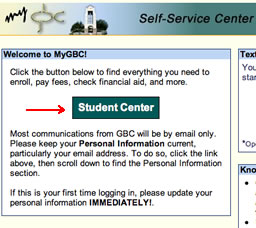
2. Log into the MyGBC Self-Service Center.
3. Click the Student Center button.
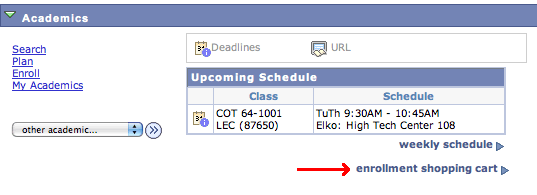
4. Click the Enrollment Shopping Cart link.
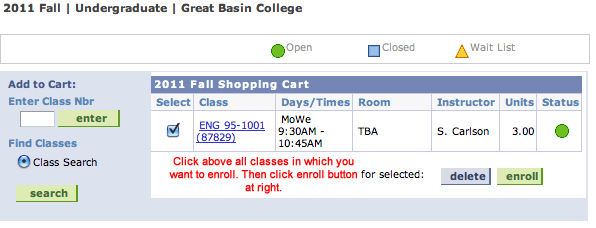
5. Click the check boxes next to all the classes in your shopping cart for which you are ready to enroll. Then click the Enroll button.
6. Click the Finish Enrolling button on the next screen that appears.
Contact
Great Basin College
1500 College Parkway
Elko, Nevada (USA) 89801
775-327-2170
