ABOUT GBC
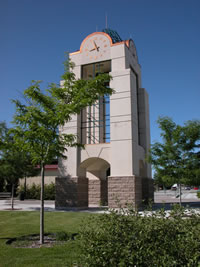
Welcome to Great Basin College!
Great Basin College values you! Valuing what we have in common and our differences means we will foster a college climate of mutual trust, tolerance, informed discourse and always seek to promote GBC as a "safe space" to explore new ideas and perspectives with opportunities for you to grow, learn and be successful in a friendly, supportive campus environment. GBC enriches people's lives by providing student-centered, post-secondary education to rural Nevada. GBC students enjoy outstanding academic programs, smaller class sizes, and excellent faculty who really care about our students. We are GBC!
ADMISSIONS

ACADEMICS

For High School Students
STUDENT SERVICES
GBC ONLINE

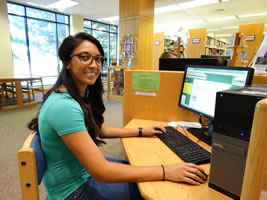
Great Basin College is "The Gold Standard in the Silver State" when it comes to long-distance education and online education delivery. GBC offers hundreds of classes and a diverse array of certificate and degree programs fully online and fully affordable!
COMMUNITY
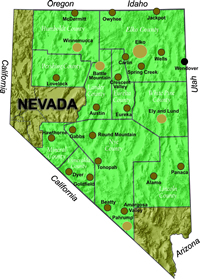
Great Basin College wants to be your choice for higher education. GBC offers associate and baccalaureate level instruction in career and technical education and academic areas. About 4,000 students are enrolled annually online from across the country and on campuses and centers across 86,500 square miles, two time zones, and ten of Nevada's largest counties. We border Arizona, Oregon, Idaho, Utah, and California. We are GBC!
INFORMATION

Need to find COVID-19 information quick? Check out our Coronavirus (COVID-19) Information and Resources page!

RESOURCES


GBC Computer Labs
The GBC Elko Campus and GBC Centers in rural Nevada have open computing labs for students. In Elko, the open lab is located in the High Tech Center (see #5 on the campus map) during regular-semester hours.
Elko High Tech Center (HTC) Computer Lab Hours
7:30 am - 9 pm on weekdays
12 pm - 5 pm on Saturday
Closed - Sundays and holidays
The Elko Campus also has open computer labs in the Academic Success Center. Hours are limited during the summer months, and labs may be closed on holidays.
Lab Hours at Other GBC Centers
Scroll down for instructions on how to log into GBC campus computers. Logging in gives you the ability to access the library, your network user drive, and lab printers. Students using GBC computing facilities must be familiar with and abide by Lab Rules.
Logging In to GBC Campus Computer
Every student has an individual login for access to GBC computers.
User Name:
Your user name for GBC lab and classroom computers is your 10-digit MyGBC User ID (the same one you use for the MyGBC Self-Service Center). If you do not know your MyGBC User ID, click here.
Initial Password:
- The first three letters of your last name, with the first capitalized, followed by
- The first three letters of your first name, with the first capitalized, followed by
- Your birthday date and last two numbers of year. For example, if your name is Megan Reed and your birthday is March 6th 1999, then your initial password will be ReeMeg0699. Birthdays, such as the 6th that only contain one number, will contain a zero in front (06). If you have any issues, contact helpdesk to request a reset at 775-327-2170.
- Important: Change your password within the first six uses or you will need to appear in person at the Helpdesk to have your password reset.
GBC Network Password Rules:
Passwords for logging into GBC campus computers must be:
- A minimum of 8 characters long, with:
- at least one upper case letter and
- at least one lower case letter and
- at least one numeral
Student passwords will expire after 120 days and will need to be reset through the RapidIdentity link below. You will receive a warning at login when your password is about to expire. Passwords cannot be repeated.
How to Change Your Password:
- Go to RapidIdentity.
- The first time you visit, you will have to set two challenge questions/answers. Doing so will allow you to change your password
- If your network, Microsoft, and Adobe passwords are no longer synced, use the RapidIdentity link above to change your password again.
For More Information Contact
Technology Help Desk
Phone: 775-327-2170
E-mail: helpdesk@gbcnv.edu
Why Great Basin College
Great Basin College wants to be your choice for higher education. GBC offers associate and baccalaureate level instruction in career and technical education and academic areas. About 4,000 students are enrolled annually online from across the country and on campuses and centers across 86,500 square miles, two time zones, and ten of Nevada's largest counties. We border Arizona, Oregon, Idaho, Utah, and California. We are GBC!